Data Tree Tools
eleFront provides a suite of tools that allow the user to create and manipulate trees in a variety of ways. Here's a breakdown of the components available.
-
Create Tree - allows users to create trees based on any variable, for example, if a boolean returns True or False, it can create a path number 0 or 1. It's also very useful when combined with the Create Set component. In this case, a branch will be made for each distinct member of the original list, which contains all instances of that member.
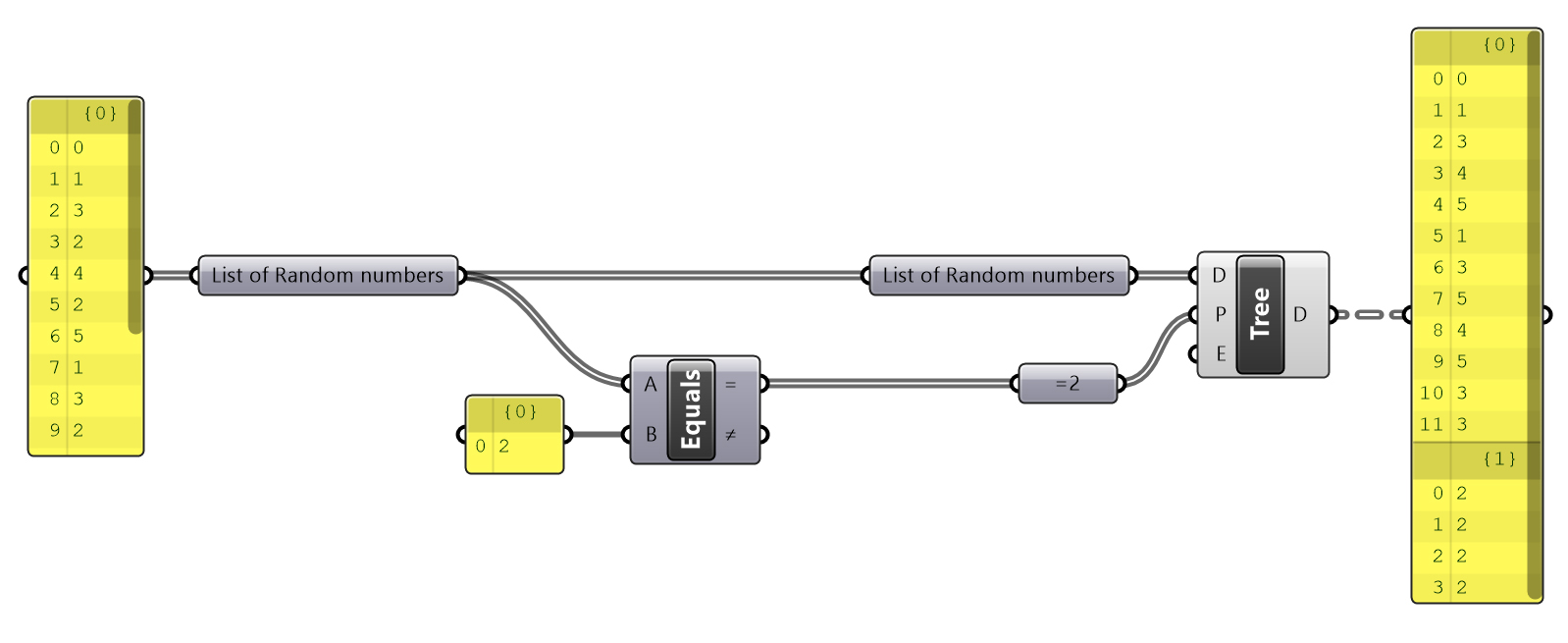
Create Treeused withEquality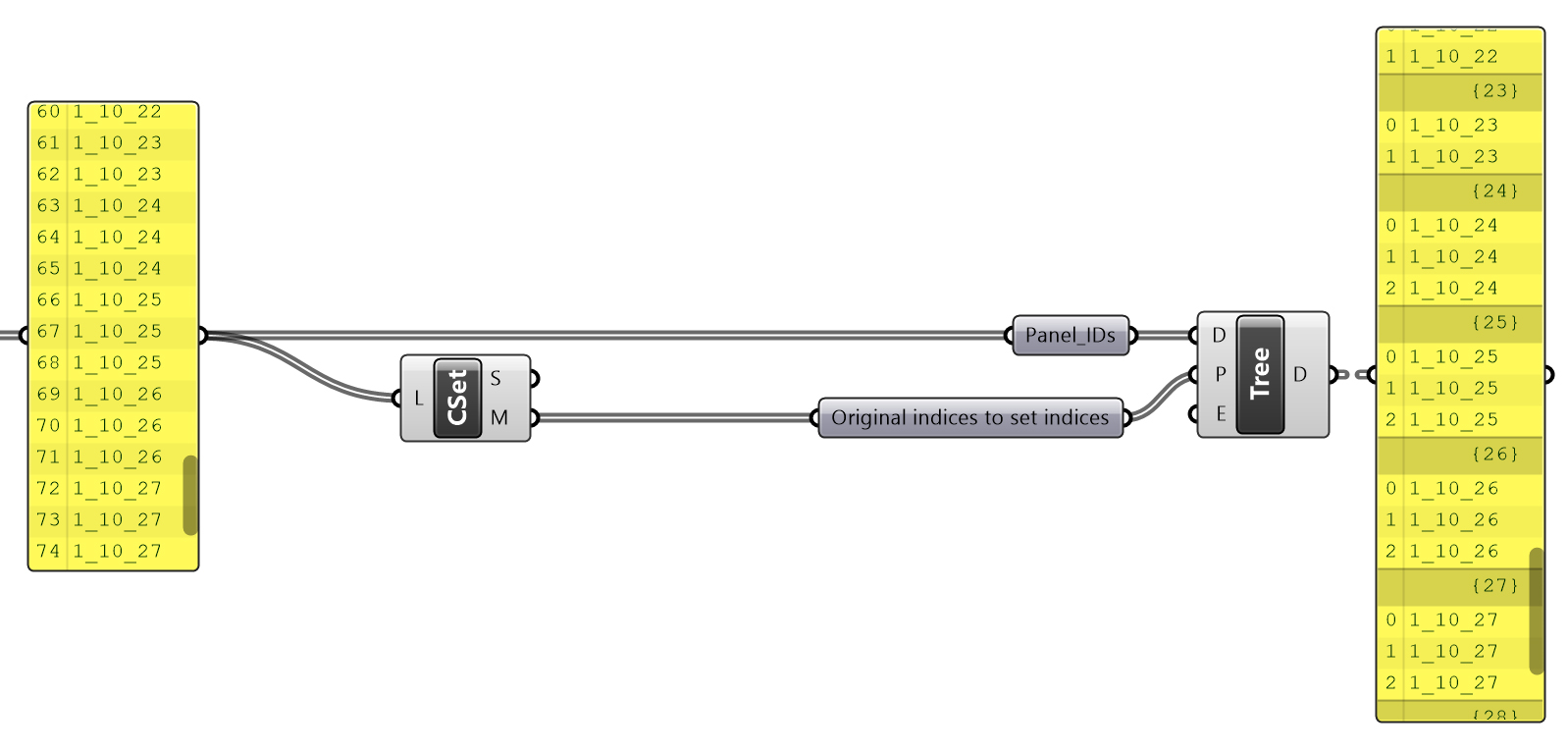
Create Treeused withCreate Set -
Clean Parallel - is used to clean a secondary tree (without nulls) in line with a primary tree (with nulls). Right click the component to toggle the Remove Empty Branches option.
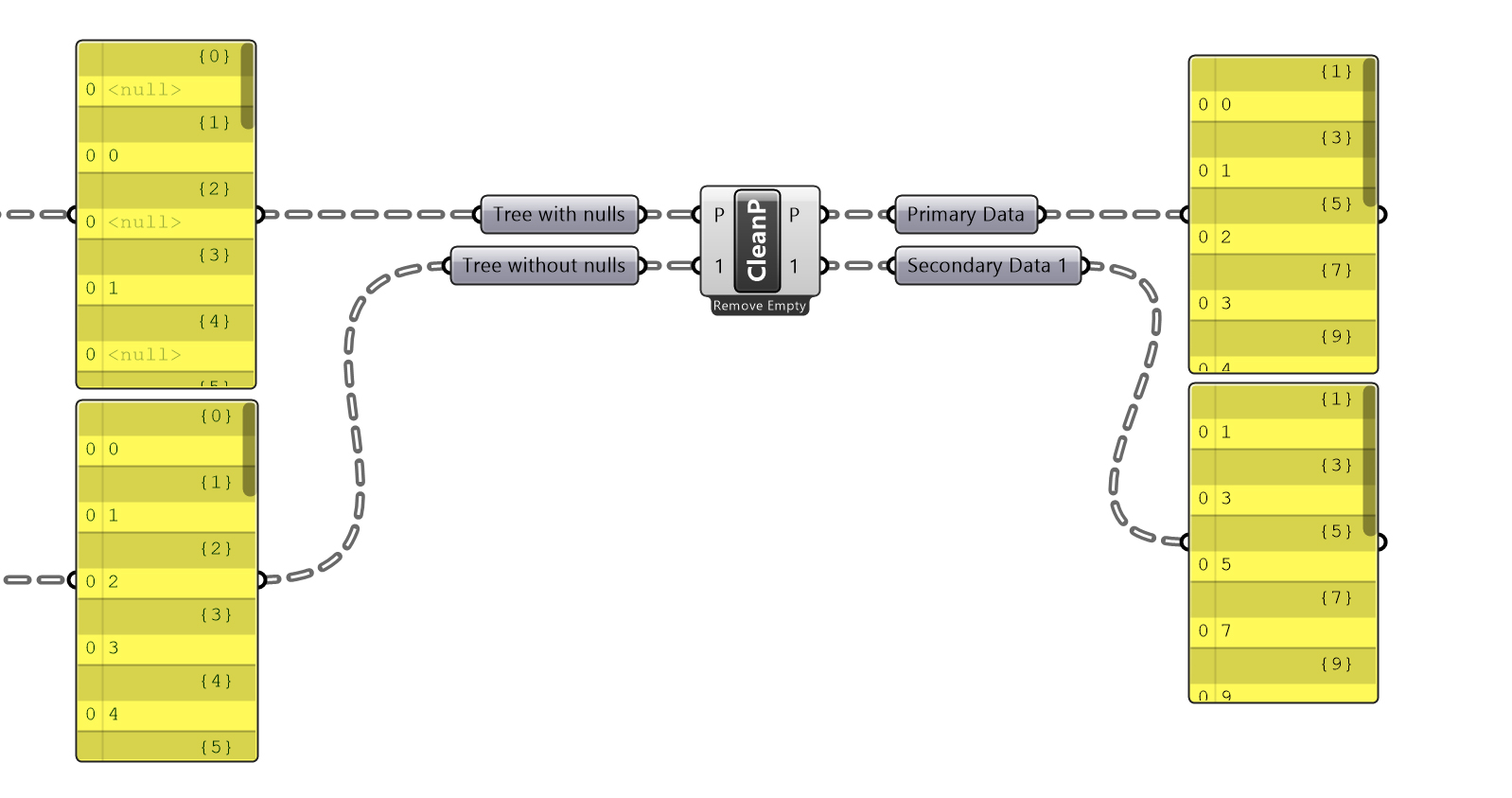
Clean Parallel -
Get matching branches - returns all branches that match those in the primary tree.
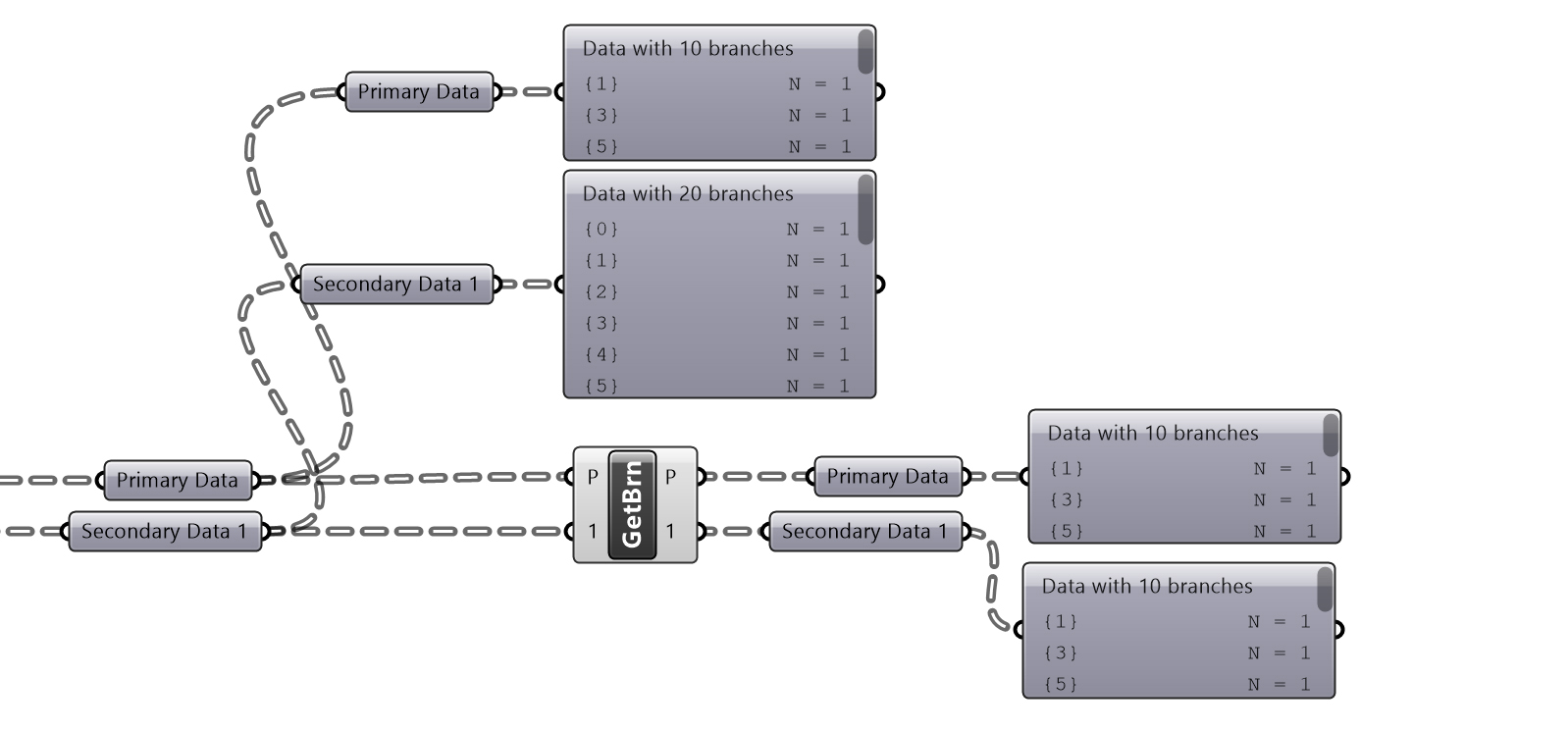
Get matching branches. -
Graft Parallel - grafts a primary tree then duplicates all objects in the secondary tree so that the tree is matched.
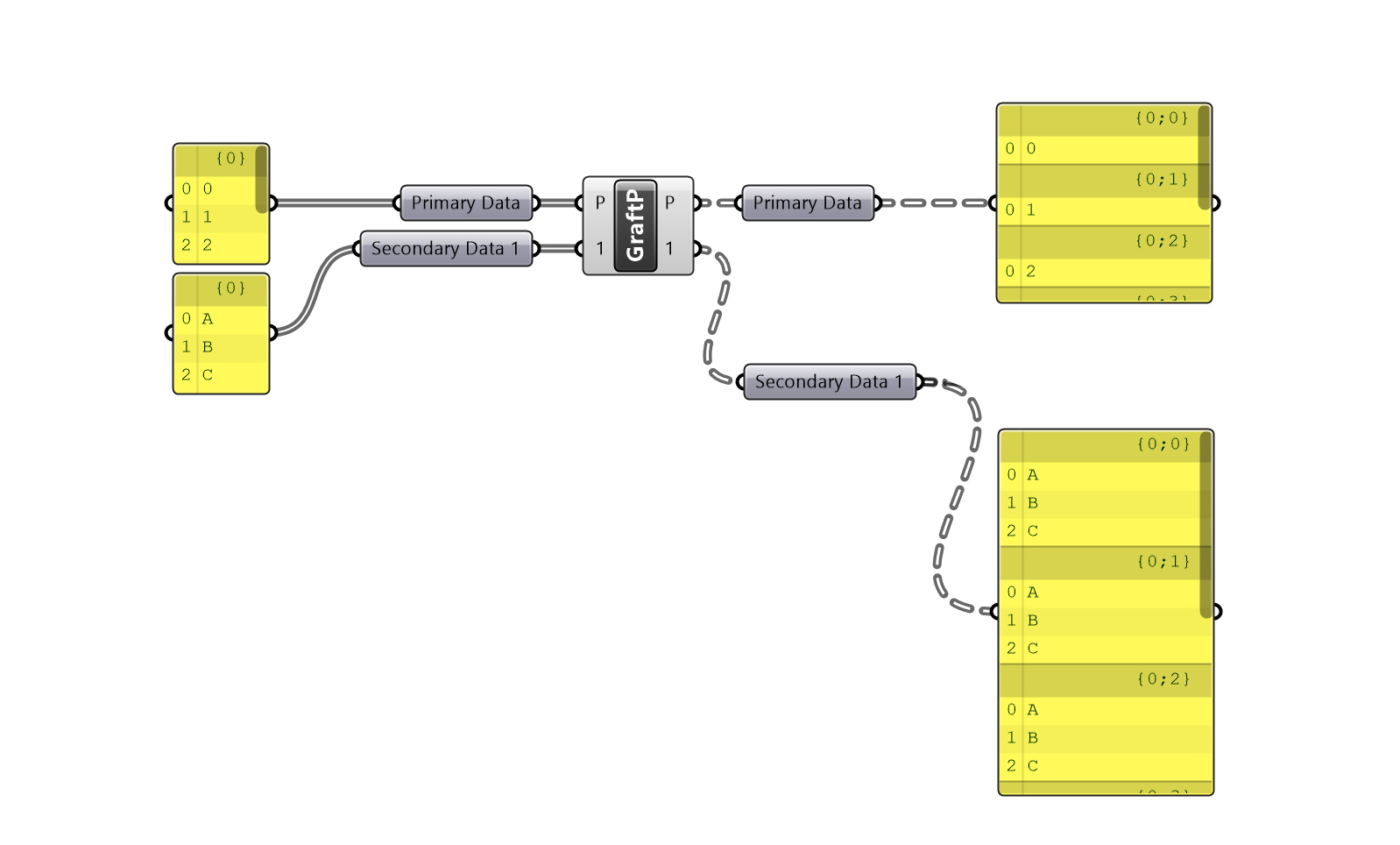
Graft Parallel -
Shift to Depth - allows users to explicitly state the required tree depth, especially helpful if the tree depth is otherwise variable.
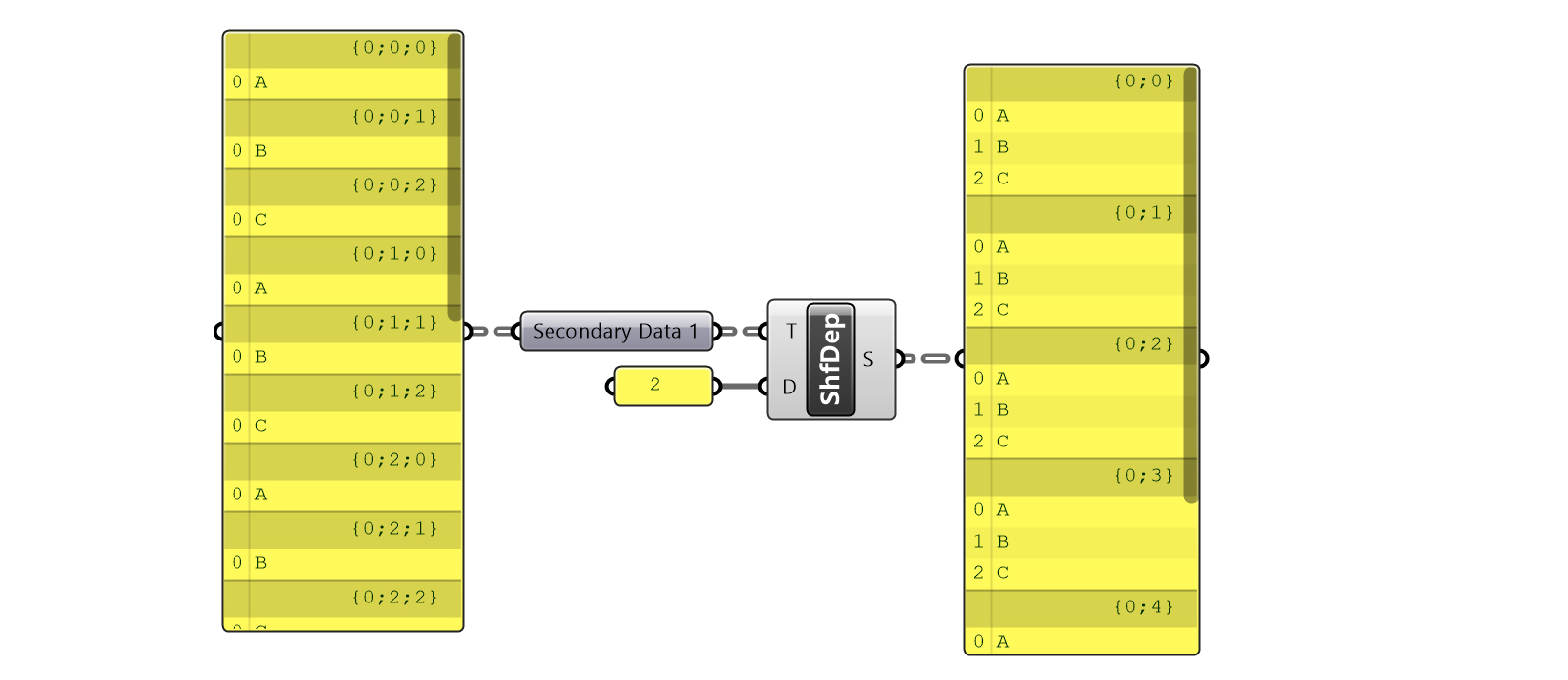
Shift to Depth -
ShiftMatch- allows users to match the depth of a tree to a guide tree.
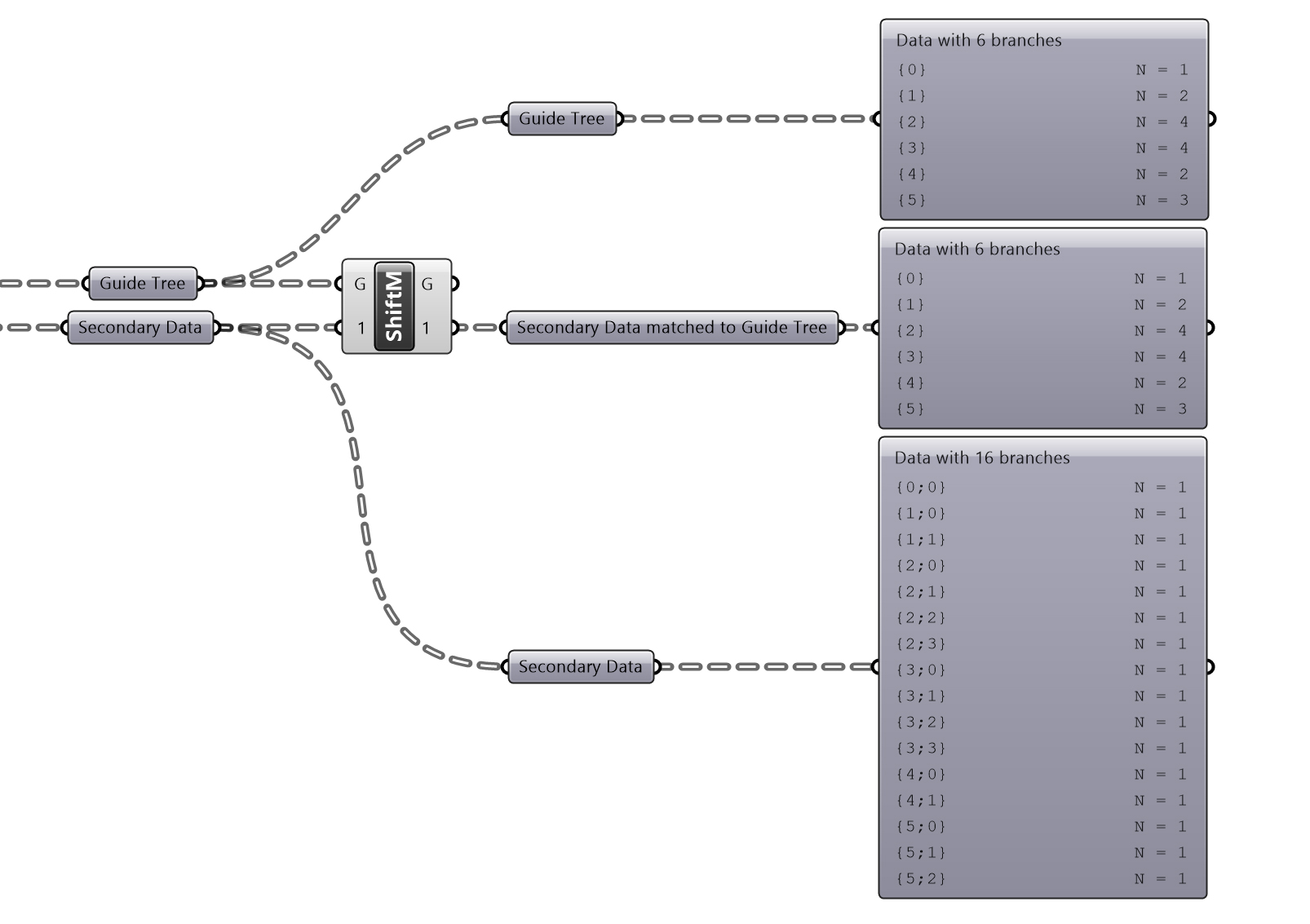
ShiftMatch